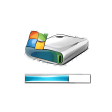
Use Vista drive icons in Windows XP
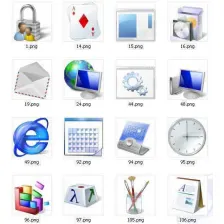
Windows Vista has some really nice eyecandy that I wouldn't mind having on my computer as well - that is, if that didn't imply changing my operating system.As long as there are apps like Vista Drive Icons, I can have some of that Vista graphic treats while keeping Windows XP. In this case, Vista Drive Icons replaces XP drive standard icons with Vista-themed icons, including a nice blue progress bar, which enables you to see how much space you're using - and how much you have left - at a glance.It's really useful to get an idea of space management without having to open the Properties dialog. Pity this tool doesn't work with networked drives.It will only display the bar for your local hard drives. Add a Vista-like progress bar to your hard drive icon and see how space is being used.






















User reviews about Vista Drive Icons
by Anonymous
Vista drive uninstall bug.
Uninstalled it and the drive icons is not showing the icons, instead, it shows a blank, no format icon.
by Anonymous
Thats Not A bug.........
as prajeesh said ......(problem is, the icons of those 4 removable media are same as that of the last)
this is b'coz all ur internal memory card reader assighned to share the same drive letter,which is slavley conncted to show different letter for the user.Hope u understand.By the way I like this Application for ornamenting xp. More
by Anonymous
Bug.
I fount a bug after using it. I am using a internal card reader and it will show 4 removable disks in My Computer. The problem is, the icons of those 4 removable media are same as that of the last hard disk drive's icon. That is if there is a 3 hark disk drives C, D, and E and 4 Removable disk drives of F, G, H, and I then the icons of F, G, H and I are same as of E.
Cons:
I think there will be a fix in next release. More
by Anonymous
Owesome !!!.
This is very nice application those who love the environment of Windows Vista. The Drive Icons are so cool. They help lot to check disk space in a glance.
Pros:
Very useful and works same like Vista.
Cons:
Doesn't Show the remaining space in Digits More